How to navigate to Event Builder
Below are are steps for how to Navigate to Event Builder for creating a New Event on Salesforce
Login into the Salesforce Org
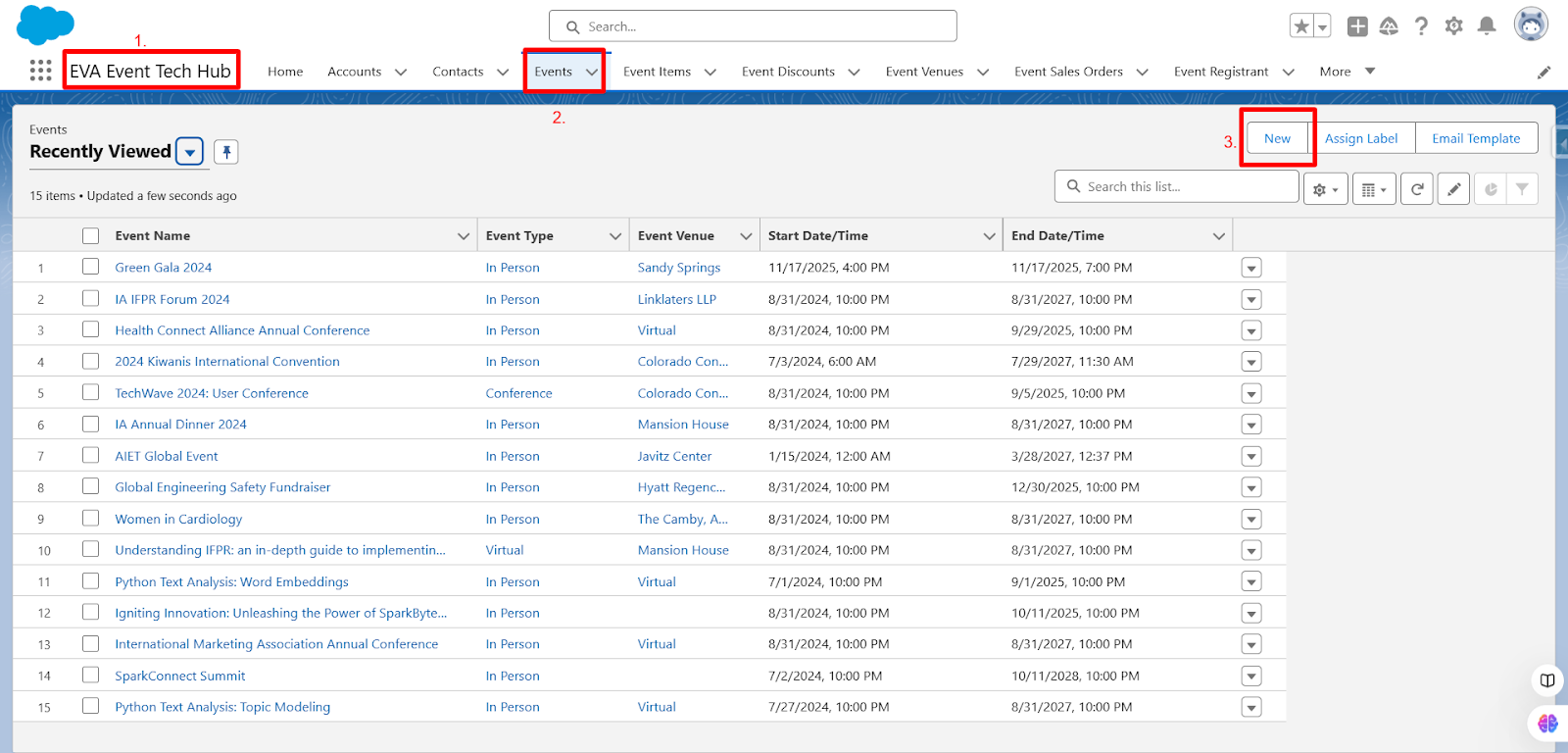
Open the EVA Event Tech Hub App.
Click on the Events Object.
Click on the New Button on the Events list view page.
Screenshot 1.2
Below are are steps for how to Navigate to Event Builder for Editing an Event on Salesforce
Login into the Salesforce Org
Open the EVA Event Tech Hub App.
Click on the Events Object.
Select the Event to which you want to make the edits from the Events list view page.
Click on the Edit Button on the Event detail page.